You’ve spent hours getting your master to sound just right. But before the first note reaches most of your listeners, their streaming service will decide how loud it plays. Will it be turned down? Turned up? Will it still sound the way you intended?
That’s loudness normalization, and it’s how most music is heard today: streaming made up nearly 70% of recorded music revenue in 2025 (IFPI Global Music Report 2026). It’s the reason two tracks in a playlist sit at roughly the same level, even when one was mastered at -6 LUFS and the other at -14. If you’re mastering for streaming, it’s one of the first things worth understanding.
Normalization, not compression
It helps to be specific about what these services are doing. At its core, normalization isn’t processing — it’s just a gain offset. The platform measures your track’s integrated loudness once, compares it to a reference level, and adjusts the playback volume accordingly. (Spotify’s Loud mode is a partial exception — more on that below.)
The practical consequence: a loud master no longer means loud playback. If your track measures -8 LUFS and the platform plays music back at -14, it’ll be turned down 6 dB on the way to the listener. You spent the headroom, and the listener hears a smaller, more compressed-sounding version anyway.
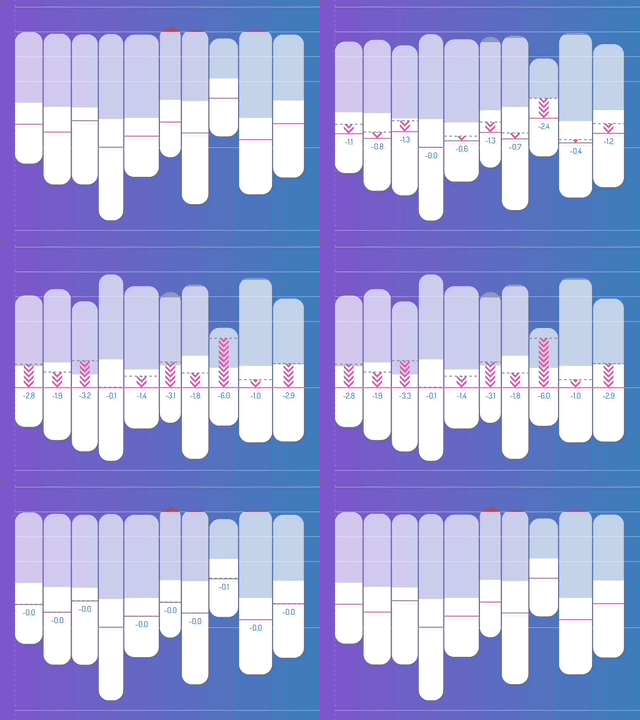
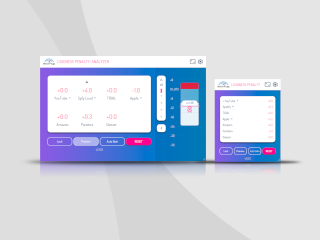
Loudness normalization in Loudness Penalty Studio: tracks at different loudness levels are matched for playback.
Do quiet tracks get turned up?
Not every service handles this the same way. There are two patterns you’ll encounter.
Turn down only. YouTube, TIDAL, Amazon Music and Deezer only attenuate tracks that exceed their reference level. Quieter tracks play as-is. On these services, a dynamic master may play back quieter than a louder mix in a playlist, for better or worse, depending on your intent.
Turn down and up. Spotify applies both positive and negative gain to bring tracks toward its -14 LUFS playback level (Spotify for Artists). Apple Music and Pandora also turn quieter tracks up, at their own playback levels. Quieter masters get boosted, though not always all the way to the playback level (see below). This is the behaviour most people imagine when they think of “normalization.”
It’s not just LUFS
The LUFS level is only part of the story. Several services also look at your track’s true-peak level, and that can change the result in ways a LUFS reading won’t show you:
- Raising quiet tracks. Of the services that turn quiet tracks up, some stop once the peaks reach -1 dBTP. A dynamic master with high peaks may end up below the playback level.
- Turning down for peaks. Some services turn a track down to keep its peaks below -1 dBTP, even when its loudness is already at or below their playback level.
- Limiting. Spotify’s Loud mode raises tracks further and uses a limiter to do it (more on that below).
So two masters with the same LUFS reading can be treated differently on the same service, depending on their peaks. And each service combines these rules in its own way.
Track mode vs. album mode
If you’re releasing a record rather than a single, there’s a second variable: how the platform groups tracks.
In track mode, each track is normalized independently. A loud single and a quiet interlude on the same album get pushed toward the same playback level, flattening the dynamic contour the record was mastered with.
In album mode, the platform applies one gain offset to all of an album’s tracks, based on either an overall measurement or the loudest track. Relative levels are preserved — the quiet interlude stays quiet compared to the loud single.
Spotify and Apple Music use album mode when a listener plays an album, and switch to track mode for playlists and shuffle mode. TIDAL always uses album normalization, even for singles and shuffled listening, based on the loudest track on the album. YouTube, Amazon Music, Deezer and Pandora only use track mode. If dynamic contrast across a record matters to you, this is the behaviour to design around.
The Spotify “Loud” setting
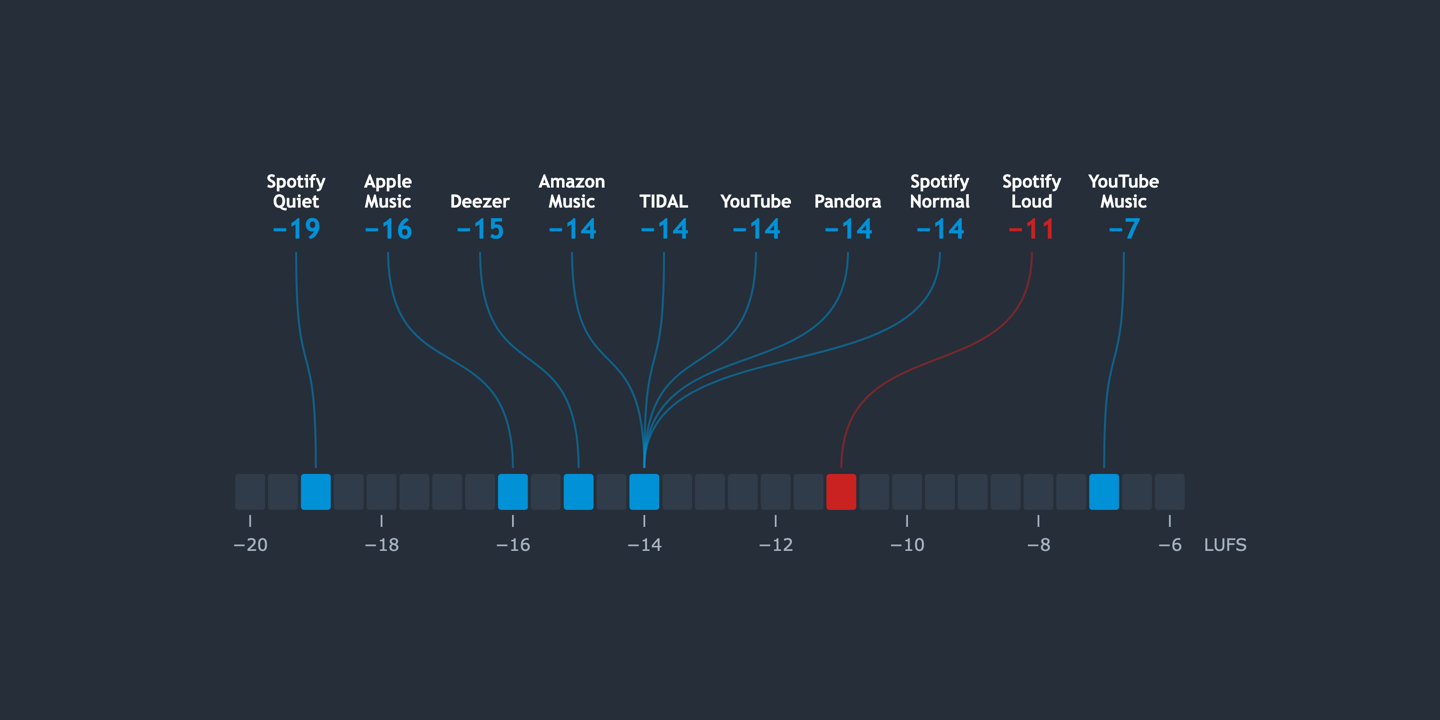
Spotify Premium users can override the default in their app settings: Normal (-14 LUFS, the default), Quiet (-19 LUFS), or Loud (-11 LUFS) (Spotify for Artists).
Loud mode is worth knowing about. To push softer tracks up to -11 LUFS without clipping, Spotify applies a limiter — engaging at -1 dBFS with a 5 ms attack and 100 ms release. That limiter is entirely outside your control. A dynamic master that measures -16 LUFS in the DAW will be gained up 5 dB in Loud mode and run through a processor on the way to the speaker.
Most listeners don’t change the default. But the ones who do will hear your track through a chain you didn’t choose.
Why -1 dBTP still matters
There’s a common assumption that a master is safe as long as no individual samples go over 0 dBFS. It isn’t. When the samples are converted back into a continuous waveform, the peaks between them can be higher than any of the samples. A true-peak meter measures these inter-sample peaks, so a master with sample peaks at -0.1 dBFS can already measure above 0 dBTP, and clip on playback.
Lossy encoding (AAC, Ogg Vorbis, MP3) can push those peaks higher still. That’s why services recommend a ceiling of -1 dBTP rather than 0 dBTP: the extra decibel is a safety margin for encoding. Spotify recommends -1 dBTP, and -2 dBTP for masters louder than -14 LUFS, since louder masters are more prone to distortion when they’re encoded. A true-peak meter in your mastering chain shows you where your peaks really are. And as above, peaks above -1 dBTP can also limit how far some services turn your track up, or cause them to turn it down.
Reference table
These levels are approximate and describe what each service does at playback, not levels to master to. Services change them over time, and true-peak rules can change the result.
| Service | Playback level | Behaviour | Album mode |
|---|---|---|---|
| Spotify (Normal) | -14 LUFS | Turn down and up | Yes, for album playback |
| Spotify (Loud) | -11 LUFS | Turn down and up, with limiter | Yes, for album playback |
| Spotify (Quiet) | -19 LUFS | Turn down and up | Yes, for album playback |
| Apple Music | -16 LUFS | Turn down and up | Yes, for album playback |
| YouTube | -14 LUFS | Turn down only | No |
| YouTube Music | -7 LUFS | Turn down only | No |
| TIDAL | -14 LUFS | Turn down only | Always |
| Amazon Music | -14 LUFS | Turn down only | No |
| Deezer | -15 LUFS | Turn down only | No |
| Pandora | -14 LUFS | Turn down and up | No |
How to use this in practice
These numbers aren’t delivery specs, and they aren’t targets to master to. They describe what each service does to your music after you upload it. Mastering to -14 LUFS because that’s where Spotify plays music back is a choice about loudness, not a requirement.
There’s no single number that would work everywhere anyway. Each service has its own playback level, its own true-peak rules and its own approach to quiet tracks, so the same master can end up at a different level on each one.
What matters is hearing how your music will actually sound on each service, alongside everything else your listeners will hear. If you’re happy with how it sounds once it’s normalized, you’re done. If a more dynamic version sounds better at the same playback level, that’s worth knowing too.
That’s what Loudness Penalty is for. It takes each service’s rules into account for you, shows what each one will do to your track, and lets you preview the result in your DAW, so you can make those decisions while you’re still mastering. You can also drop a rendered file into the free Loudness Penalty web tool for a quick check. It won’t give you the real-time feedback of the plugin, but it’ll tell you where you stand.
The goal isn’t to hit a number. It’s to make informed decisions about the loudness and dynamics of your music, and how it reaches the people who are going to hear it.